
Case Converter Guide: Title Case, camelCase, snake_case
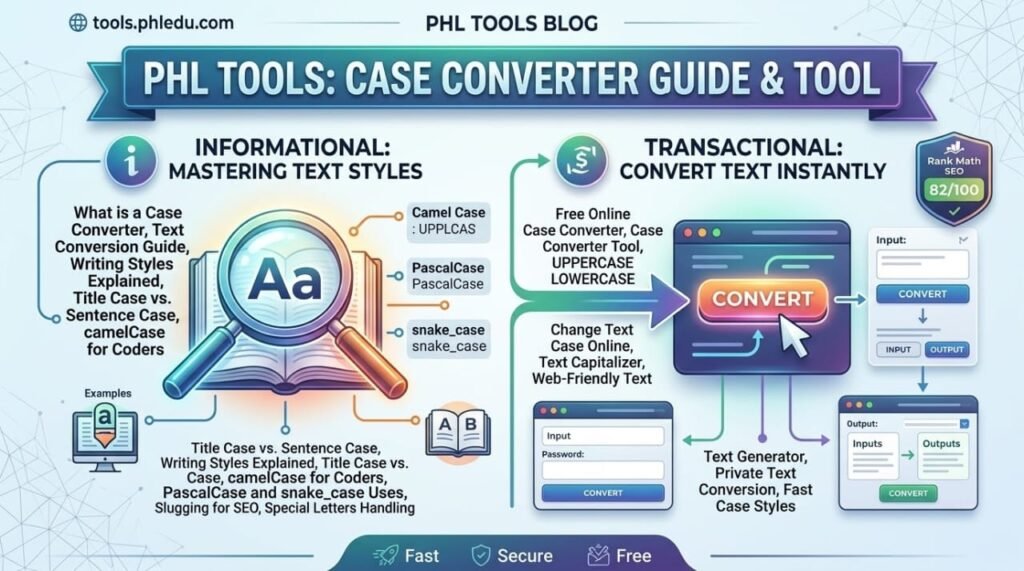
A case converter changes the capital letters of your text in one click, so you never have to retype a heading again. The free PHL Tools Case Converter offers eleven styles: UPPERCASE, lowercase, Title Case, Sentence case, Capitalized Words, tOGGLE cASE, Slugify, camelCase, PascalCase, snake_case and CONSTANT_CASE. This complete guide shows what each style does with a real example, when to use it, and how to use the buttons. It runs in your browser, so your text stays private.
What a Case Converter Is For
Capital letters matter more than most people think. A headline in the wrong case looks careless, a variable name in the wrong style breaks code, and text typed with Caps Lock on has to be fixed by hand. A case converter does this in a second.
Typical jobs include fixing a heading, preparing blog titles, cleaning a pasted list, writing code names, and making URL-friendly text. You do not need to learn any rules. You choose a style and the result appears.
Step by Step: Change Text Case
- Open the Case Converter.
- Type or paste your text into Your text.
- Click one of the eleven style buttons at the top. The result appears immediately in Converted text.
- Press Copy result, or Download .txt to save a file.
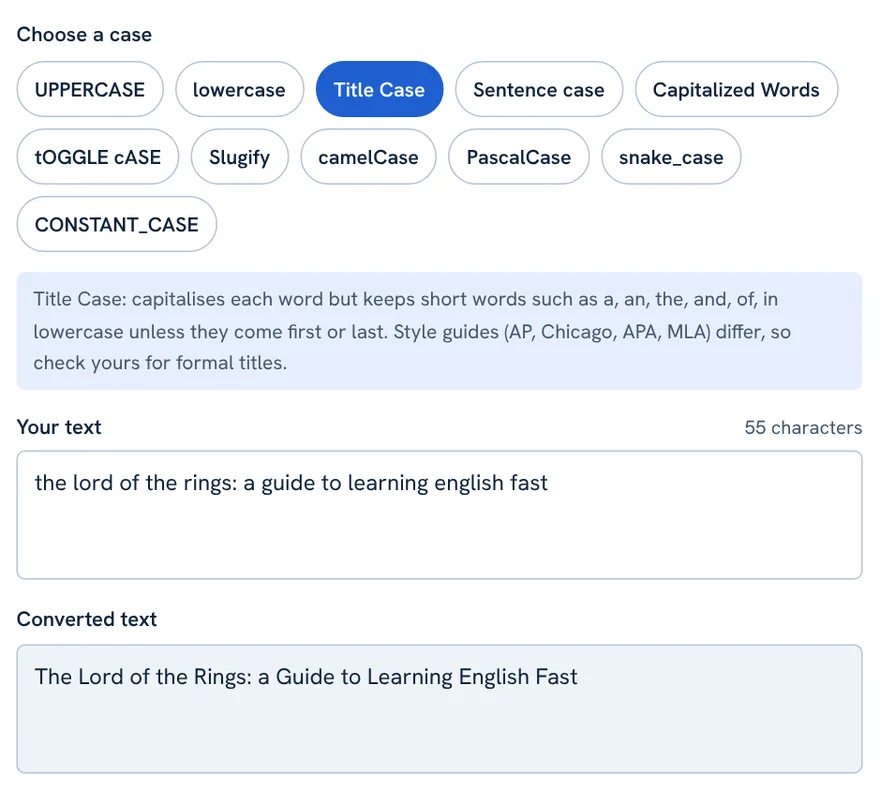
Under the style buttons a short note explains the selected style, so you always know what it will do.
All 11 Styles With the Same Example
These results use the input the quick brown fox. it jumps over the lazy dog! is it fast?
| Style | Result |
|---|---|
| UPPERCASE | THE QUICK BROWN FOX. IT JUMPS OVER THE LAZY DOG! IS IT FAST? |
| lowercase | the quick brown fox. it jumps over the lazy dog! is it fast? |
| Title Case | The Quick Brown Fox. It Jumps over the Lazy Dog! Is It Fast? |
| Sentence case | The quick brown fox. It jumps over the lazy dog! Is it fast? |
| Capitalized Words | The Quick Brown Fox. It Jumps Over The Lazy Dog! Is It Fast? |
| Slugify | the-quick-brown-fox-it-jumps-over-the-lazy-dog-is-it-fast |
| camelCase | theQuickBrownFoxItJumpsOverTheLazyDogIsItFast |
| PascalCase | TheQuickBrownFoxItJumpsOverTheLazyDogIsItFast |
| snake_case | the_quick_brown_fox_it_jumps_over_the_lazy_dog_is_it_fast |
| CONSTANT_CASE | THE_QUICK_BROWN_FOX_IT_JUMPS_OVER_THE_LAZY_DOG_IS_IT_FAST |
tOGGLE cASE flips every letter: Hello World becomes hELLO wORLD. It is mostly for fun, or for fixing text typed with Caps Lock on by mistake.
Writing Styles: When to Use Each
UPPERCASE and lowercase
Use UPPERCASE for warnings, labels and short emphasis. Use lowercase to fix text typed with Caps Lock, or to prepare text for tools that ignore case.
Title Case
Best for headlines and blog titles. Every word starts with a capital except short words such as a, an, the, and, but, or, for, of, in, on, to, with, unless they are the first or last word. There is no single universal rule: AP, Chicago, APA and MLA differ, so check your style guide for formal titles.
Sentence case
Normal writing. The text is lowercased, then the first letter of each sentence gets a capital (after the start, after . ! ? and after a line break). It cannot know names or acronyms, so fix words like Lahore or PHL by hand.
Capitalized Words
Every word starts with a capital, including short words. Good for names and simple lists.
Coding Styles: camelCase, PascalCase, snake_case, CONSTANT_CASE
Programmers use these styles to write names without spaces.
- camelCase: first word lowercase, later words capitalised. Common for variables and functions in JavaScript.
- PascalCase: every word capitalised. Common for class and component names.
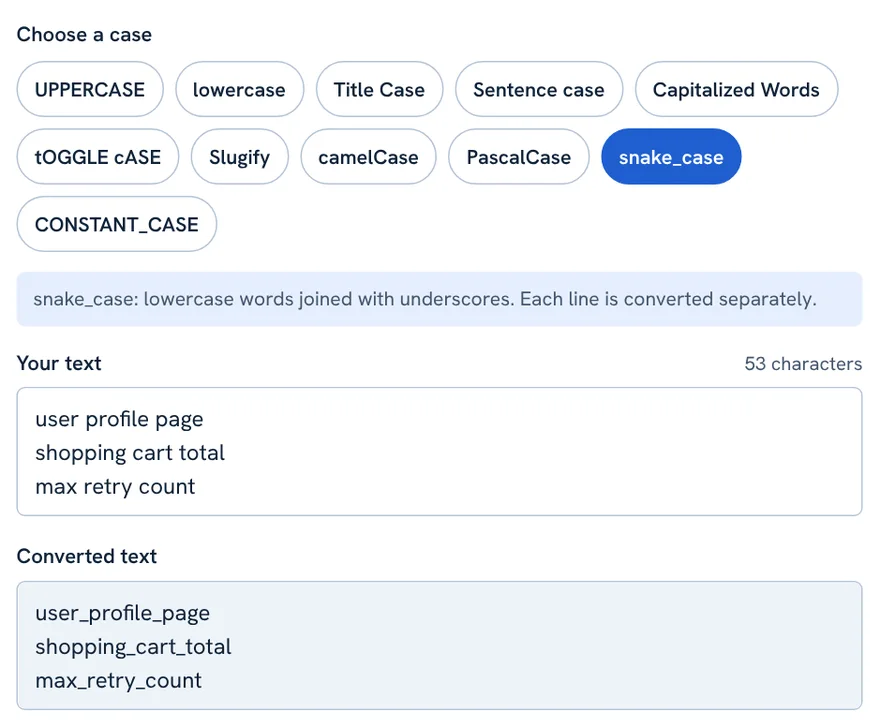
- snake_case: lowercase words joined with underscores. Common in Python and databases.
- CONSTANT_CASE: uppercase with underscores. Common for constants.
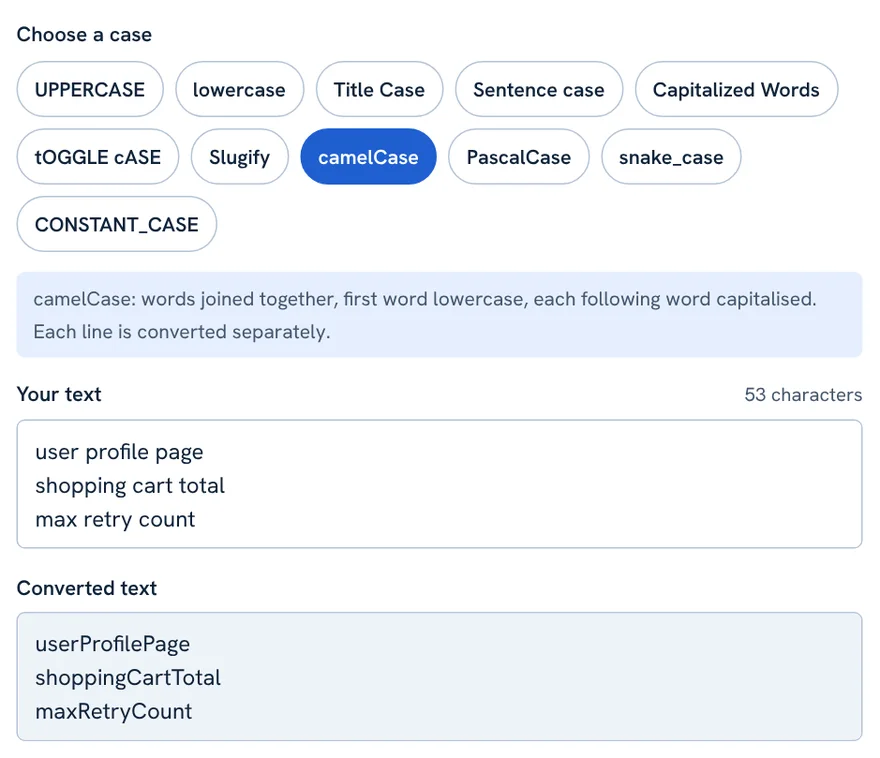
These four styles treat each line as a separate name, so you can convert a whole list at once. They split words at spaces, punctuation, underscores, hyphens and lower-to-upper changes, so userID becomes user and ID before joining.
Slugify: Web-Friendly Text
Slugify makes lowercase text with hyphens between words, like how-to-learn-english-fast. It keeps accented and non-English letters. If you need to choose the separator, remove small words or limit the length, use the dedicated Slug Generator.
The Buttons
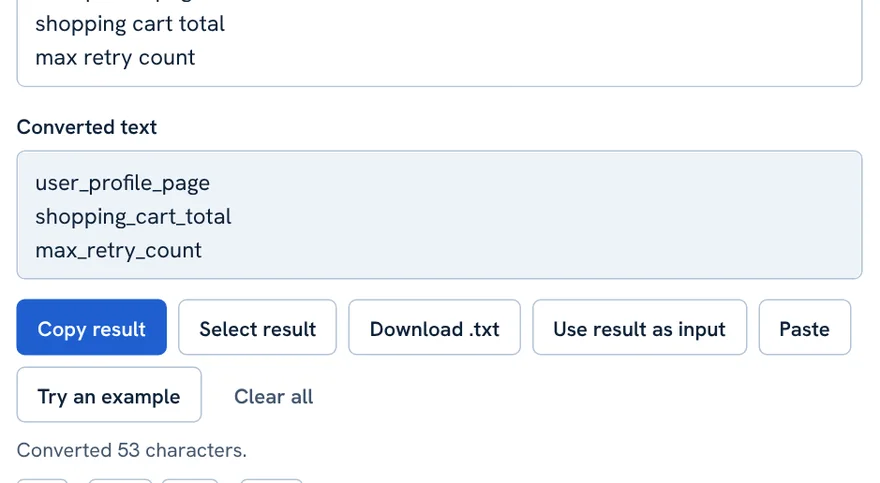
- Copy result: copies the converted text. Shortcut: Ctrl + Enter (Cmd + Enter on Mac).
- Select result: highlights the output so you can copy it yourself.
- Download .txt: saves the result as a text file.
- Use result as input: moves the converted text into the input box, so you can chain two conversions. For example, run Sentence case, then Title Case.
- Paste: pastes from your clipboard.
- Try an example: fills the box with sample text.
- Clear all: empties both boxes.
Other Languages and Special Letters
The converter follows Unicode rules, so accented Latin, Greek and Cyrillic letters change correctly (é becomes É, and ß becomes SS in uppercase). Scripts without capital letters, such as Urdu, Arabic, Hindi and Chinese, stay unchanged. For Urdu text, use the Roman Urdu Converter instead.
Tips for Better Results
- Run Sentence case first on shouting text, then fix names by hand.
- For blog titles, use Title Case and read it once; adjust small words to match your style guide.
- For code, put each name on its own line and convert them all together.
- Use Use result as input to combine steps.
FAQ
Which Title Case rule does the converter use?
A common English convention: capitalise each word but keep short articles, conjunctions and prepositions lowercase unless they begin or end the title. Style guides differ, so adjust formal titles to yours.
Why did Sentence case not capitalise a name?
Sentence case lowercases everything first and then capitalises sentence starts. It has no dictionary of names, so capitalise names and acronyms yourself.
Does it work with accented letters and other languages?
Yes for languages that have letter case. Scripts such as Urdu, Arabic and Chinese have no capitals, so they stay as they are.
Can I convert many names at once for coding?
Yes. camelCase, PascalCase, snake_case, CONSTANT_CASE and Slugify treat every line as a separate name.
Is my text uploaded anywhere?
No. The conversion runs in your browser and the text is never sent to a server.
Related tool guides
کیس کنورٹر ایک کلک میں آپ کے متن کے بڑے چھوٹے حروف بدل دیتا ہے، یعنی ہیڈنگ دوبارہ ٹائپ نہیں کرنی پڑتی۔ PHL Tools کا مفت کیس کنورٹر گیارہ انداز دیتا ہے: UPPERCASE، lowercase، Title Case، Sentence case، Capitalized Words، tOGGLE cASE، Slugify، camelCase، PascalCase، snake_case اور CONSTANT_CASE۔ اس مکمل گائیڈ میں ہر انداز کی حقیقی مثال، استعمال کا موقع اور بٹنوں کی وضاحت ہے۔ یہ آپ کے براؤزر میں چلتا ہے، اس لیے متن نجی رہتا ہے۔
What a Case Converter Is For
بڑے حروف کی اہمیت لوگ جتنی سمجھتے ہیں اس سے زیادہ ہے۔ غلط کیس میں ہیڈ لائن لاپروا لگتی ہے، غلط انداز میں متغیر کا نام کوڈ توڑ دیتا ہے، اور Caps Lock کے ساتھ لکھا متن ہاتھ سے ٹھیک کرنا پڑتا ہے۔ کیس کنورٹر یہ کام ایک سیکنڈ میں کر دیتا ہے۔
عام کاموں میں ہیڈنگ ٹھیک کرنا، بلاگ ٹائٹل تیار کرنا، پیسٹ کی گئی فہرست صاف کرنا، کوڈ کے نام لکھنا اور URL کے موافق متن بنانا شامل ہیں۔ آپ کو کوئی اصول سیکھنے کی ضرورت نہیں۔ انداز چنیں اور نتیجہ آ جاتا ہے۔
Step by Step: Change Text Case
- کیس کنورٹر کھولیں۔
- متن Your text میں لکھیں یا پیسٹ کریں۔
- اوپر گیارہ بٹنوں میں سے ایک انداز پر کلک کریں۔ نتیجہ Converted text میں فوراً آ جاتا ہے۔
- Copy result دبائیں، یا فائل محفوظ کرنے کے لیے Download .txt۔
انداز کے بٹنوں کے نیچے ایک مختصر نوٹ چنے گئے انداز کی وضاحت کرتا ہے، اس لیے آپ کو ہمیشہ پتا ہوتا ہے کہ وہ کیا کرے گا۔
All 11 Styles With the Same Example
یہ نتائج اس ان پٹ سے ہیں: the quick brown fox. it jumps over the lazy dog! is it fast?
| Style | Result |
|---|---|
| UPPERCASE | THE QUICK BROWN FOX. IT JUMPS OVER THE LAZY DOG! IS IT FAST? |
| lowercase | the quick brown fox. it jumps over the lazy dog! is it fast? |
| Title Case | The Quick Brown Fox. It Jumps over the Lazy Dog! Is It Fast? |
| Sentence case | The quick brown fox. It jumps over the lazy dog! Is it fast? |
| Capitalized Words | The Quick Brown Fox. It Jumps Over The Lazy Dog! Is It Fast? |
| Slugify | the-quick-brown-fox-it-jumps-over-the-lazy-dog-is-it-fast |
| camelCase | theQuickBrownFoxItJumpsOverTheLazyDogIsItFast |
| PascalCase | TheQuickBrownFoxItJumpsOverTheLazyDogIsItFast |
| snake_case | the_quick_brown_fox_it_jumps_over_the_lazy_dog_is_it_fast |
| CONSTANT_CASE | THE_QUICK_BROWN_FOX_IT_JUMPS_OVER_THE_LAZY_DOG_IS_IT_FAST |
tOGGLE cASE ہر حرف الٹ دیتا ہے: Hello World سے hELLO wORLD بنتا ہے۔ یہ زیادہ تر تفریح کے لیے ہے، یا غلطی سے Caps Lock کے ساتھ لکھا متن ٹھیک کرنے کے لیے۔
Writing Styles: When to Use Each
UPPERCASE and lowercase
UPPERCASE انتباہ، لیبل اور مختصر زور کے لیے استعمال کریں۔ lowercase Caps Lock والا متن ٹھیک کرنے، یا ایسے ٹولز کے لیے متن تیار کرنے کے لیے ہے جو کیس نظرانداز کرتے ہیں۔
Title Case
سرخیوں اور بلاگ ٹائٹل کے لیے بہترین۔ ہر لفظ بڑے حرف سے شروع ہوتا ہے سوائے a, an, the, and, but, or, for, of, in, on, to, with جیسے چھوٹے الفاظ کے، جب تک وہ پہلے یا آخری لفظ نہ ہوں۔ کوئی ایک عالمگیر اصول نہیں: AP، Chicago، APA اور MLA مختلف ہیں، اس لیے رسمی عنوانات کے لیے اپنی اسٹائل گائیڈ دیکھیں۔
Sentence case
عام تحریر کے لیے۔ متن پہلے چھوٹا ہوتا ہے، پھر ہر جملے کا پہلا حرف بڑا ہو جاتا ہے (آغاز میں، . ! ? کے بعد اور لائن بریک کے بعد)۔ یہ نام اور مخففات نہیں جان سکتا، اس لیے Lahore یا PHL جیسے الفاظ ہاتھ سے ٹھیک کریں۔
Capitalized Words
ہر لفظ بڑے حرف سے شروع ہوتا ہے، چھوٹے الفاظ سمیت۔ ناموں اور سادہ فہرستوں کے لیے اچھا ہے۔
Coding Styles: camelCase, PascalCase, snake_case, CONSTANT_CASE
پروگرامر بغیر اسپیس کے نام لکھنے کے لیے یہ انداز استعمال کرتے ہیں۔
- camelCase: پہلا لفظ چھوٹا، بعد کے الفاظ بڑے حرف سے۔ JavaScript میں متغیرات اور فنکشنز کے لیے عام۔
- PascalCase: ہر لفظ بڑے حرف سے۔ کلاس اور کمپوننٹ کے ناموں کے لیے عام۔
- snake_case: چھوٹے الفاظ انڈر اسکور سے جڑے ہوئے۔ Python اور ڈیٹا بیس میں عام۔
- CONSTANT_CASE: بڑے حروف انڈر اسکور کے ساتھ۔ مستقل قدروں کے لیے عام۔
یہ چاروں انداز ہر لائن کو الگ نام سمجھتے ہیں، اس لیے آپ پوری فہرست ایک ساتھ بدل سکتے ہیں۔ یہ الفاظ کو اسپیس، رموزِ اوقاف، انڈر اسکور، ہائفن اور چھوٹے سے بڑے حرف کی تبدیلی پر توڑتے ہیں، یعنی userID جوڑنے سے پہلے user اور ID بنتا ہے۔
Slugify: Web-Friendly Text
Slugify چھوٹے حروف میں متن بناتا ہے جس کے الفاظ کے درمیان ہائفن ہوتا ہے، جیسے how-to-learn-english-fast۔ یہ اعراب والے اور غیر انگریزی حروف رکھتا ہے۔ اگر آپ کو الگ کرنے والی علامت چننی ہو، چھوٹے الفاظ ہٹانے ہوں یا لمبائی محدود کرنی ہو تو مخصوص سلگ جنریٹر استعمال کریں۔
The Buttons
- Copy result: تبدیل شدہ متن کاپی کرتا ہے۔ شارٹ کٹ: Ctrl + Enter (میک پر Cmd + Enter)۔
- Select result: آؤٹ پٹ ہائی لائٹ کرتا ہے تاکہ آپ خود کاپی کر سکیں۔
- Download .txt: نتیجہ ٹیکسٹ فائل میں محفوظ کرتا ہے۔
- Use result as input: تبدیل شدہ متن کو ان پٹ خانے میں لے جاتا ہے تاکہ آپ دو تبدیلیاں ایک کے بعد ایک کر سکیں، مثلاً پہلے Sentence case، پھر Title Case۔
- Paste: کلپ بورڈ سے پیسٹ کرتا ہے۔
- Try an example: خانے میں نمونہ متن بھرتا ہے۔
- Clear all: دونوں خانے خالی کرتا ہے۔
Other Languages and Special Letters
کنورٹر یونی کوڈ کے اصولوں پر چلتا ہے، اس لیے اعراب والے لاطینی، یونانی اور سیریلک حروف درست بدلتے ہیں (é سے É، اور بڑے حروف میں ß سے SS)۔ جن رسم الخط میں بڑے حروف نہیں ہوتے، جیسے اردو، عربی، ہندی اور چینی، وہ جوں کے توں رہتے ہیں۔ اردو متن کے لیے رومن اردو کنورٹر استعمال کریں۔
Tips for Better Results
- چیختے ہوئے متن پر پہلے Sentence case چلائیں، پھر نام ہاتھ سے ٹھیک کریں۔
- بلاگ ٹائٹل کے لیے Title Case چلائیں اور ایک بار پڑھ لیں؛ چھوٹے الفاظ اپنی اسٹائل گائیڈ کے مطابق ٹھیک کریں۔
- کوڈ کے لیے ہر نام الگ لائن میں رکھیں اور سب ایک ساتھ بدلیں۔
- مراحل جوڑنے کے لیے Use result as input استعمال کریں۔
FAQ
کنورٹر کون سا Title Case اصول استعمال کرتا ہے؟
انگریزی کا عام اصول: ہر لفظ بڑے حرف سے، مگر چھوٹے آرٹیکل، حروفِ ربط اور حروفِ جار چھوٹے رہتے ہیں سوائے ٹائٹل کے آغاز اور اختتام کے۔ اسٹائل گائیڈز مختلف ہیں، اس لیے رسمی عنوانات اپنی گائیڈ کے مطابق ٹھیک کریں۔
Sentence case نے نام بڑے حرف سے کیوں نہیں لکھا؟
Sentence case پہلے سب کچھ چھوٹا کرتا ہے اور پھر جملوں کے آغاز بڑے کرتا ہے۔ اس کے پاس ناموں کی ڈکشنری نہیں، اس لیے نام اور مخففات خود بڑے حرف میں لکھیں۔
کیا اردو متن پر کیس کنورٹر چلتا ہے؟
اردو میں بڑے چھوٹے حروف نہیں ہوتے، اس لیے اردو متن جوں کا توں رہتا ہے۔ انگریزی اور دیگر لاطینی حروف درست بدلتے ہیں۔
کیا میرا متن اپلوڈ ہوتا ہے؟
نہیں۔ تبدیلی آپ کے براؤزر میں ہوتی ہے اور متن کسی سرور پر نہیں جاتا۔
Related tool guides
More tool guides
Roman Urdu to Urdu Converter
Type Roman Urdu, get Urdu script. Click any word to pick another spelling.
Word Counter
Count words, characters, sentences and paragraphs, with reading time and keyword frequency.
Text Cleaner
Remove extra spaces and blank lines, fix line endings and strip unwanted characters.